Play GTA III in Your Browser
GTA III started the 3D open world era in 2001, and this entry points to a fan project that compiled the re3 source port to WebAssembly. It is unofficial and unrelated to Rockstar, and it streams its game data into the browser as you play, so there is no download step to sit through.
Advertisement
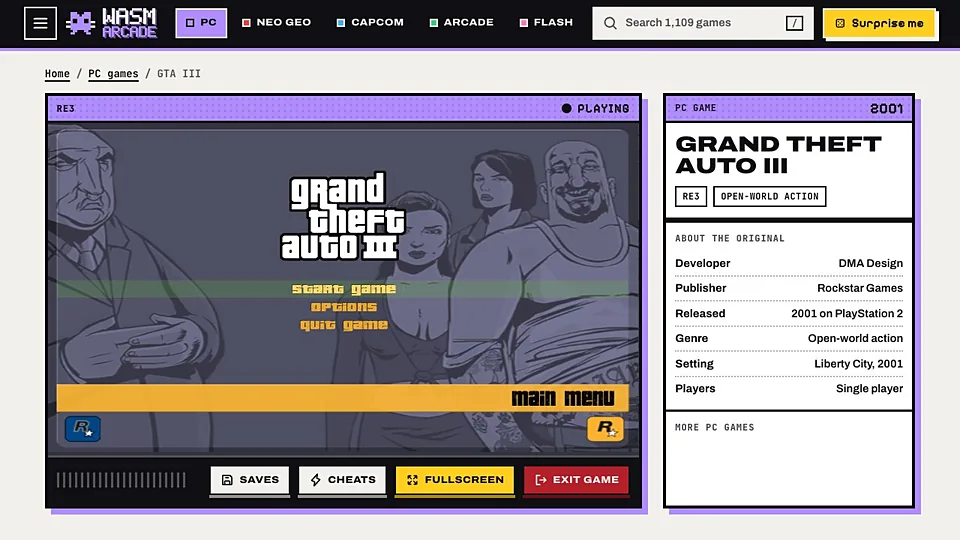
What is GTA III (WASM)?
GTA III put Liberty City in three dimensions, moved the series from a top-down view to a chase camera, and set the template that every open world game after it borrowed from. The missions are short and often brutal, the radio is a period piece, and the map is small enough to learn by heart.
The re3 project is an open source reimplementation of the GTA III engine, and this build compiles it to WebAssembly so it runs in a browser tab. It ships none of the original game assets and has no affiliation with Rockstar. The build we link to streams what it needs from its own origin and stores it in the browser, so you are playing within a minute or two rather than after a download.
What it asks of you is memory rather than setup. Give it a browser with room to spare and expect the frame rate to move around as you cross the city. Nothing is installed, and closing the tab leaves nothing behind except whatever the browser cached.
How to play GTA III (WASM) in your browser
- Open the GTA III WebAssembly page on a desktop computer.
- Read the project's own setup instructions before you press anything.
- Provide the game data it asks for if you own GTA III.
- Let the WebAssembly bundle finish loading completely before you click.
- Click the canvas to give the page keyboard focus.
- Start a new game and take the first mission slowly while you test the controls.
Controls
| Input | Action |
|---|---|
| W A S D | Move on foot or drive |
| Mouse | Rotate the camera |
| Left click | Attack or fire |
| Space | Jump or use the handbrake |
| F | Enter and exit vehicles |
| Shift | Sprint |
| Mouse wheel | Cycle weapons |
| Esc | Pause and open the menu |
Controls can differ between builds. Most of these games let you rebind keys from their own settings menu, and you can press Esc to release the mouse pointer.
Tips for GTA III (WASM)
- Test the controls in the starting district before accepting a mission with a timer attached to it.
- Own GTA III if the build requests its files, since re3 is an engine and ships without Rockstar's content.
- Lower the resolution or run windowed if the frame rate stutters during police chases.
- Refresh and reload if the canvas stays black, which usually means the bundle did not finish.
- Use a mouse and keyboard, because this port has no touch control scheme worth using.
- Keep other heavy tabs closed, since an open world in WebAssembly competes for the same memory.
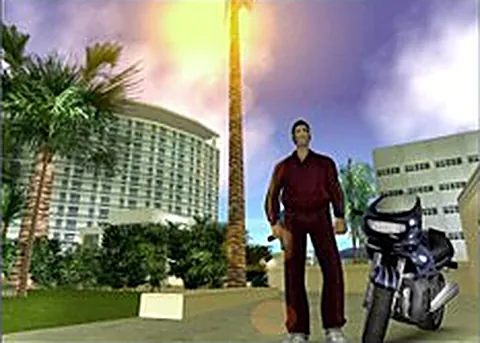
Screenshots
GTA III (WASM) FAQ
Can I play GTA III free in a browser?
Yes. The fan port costs nothing to open, streams its own data into the browser and needs no game files from you. We do not charge for the link, and we only point at the original project.
Is this GTA III browser port official?
It is not, and Rockstar has no involvement. The project is a community reimplementation of the engine, published by fans, with no affiliation to Rockstar Games or its parent company. The link goes to their page, not to anything we host.
Does GTA III in a browser need my own game files?
Often, yes. re3 replaces the engine code, not the art, audio or map data, so the build may ask for files from a legitimate copy. The project page states its own requirements, and we do not provide or host those files.
Why is the GTA III WebAssembly page stuck loading?
A stalled progress bar usually means the bundle ran out of memory or the connection dropped mid download. Reload, close other tabs, and avoid running it with extensions that block scripts. If it keeps failing, the build may be offline.
Does GTA III in a browser work on a Chromebook or phone?
Phones are out, because the port needs a keyboard and mouse and the memory footprint is large. Some Chromebooks cope, especially models with more RAM, but a desktop or gaming laptop is far more likely to give you a playable frame rate.
How do I save my game in GTA III on the web?
Whatever the port implements is what you get, and browser saves normally live in local storage tied to that site. Clearing cookies or site data can wipe them. Hideout saves should behave like the original if that part of the engine works.
Is it safe to open the GTA III browser build?
It is a public fan project rather than a commercial site, so treat it like any small independent download page: keep your browser updated, do not install anything it offers, and avoid giving it personal details. The game itself runs in a sandboxed tab.
Games like GTA III (WASM)
Same genre, same energy, also playable in a tab.