Play Halo: Combat Evolved in Your Browser
Halo: Combat Evolved put console shooters on the map in 2001, and this browser project runs the PC build through WebAssembly and WebGL. It is an unofficial port of the campaign, and browser play needs no install, though it asks for your own game files rather than shipping them inside the page.
Advertisement
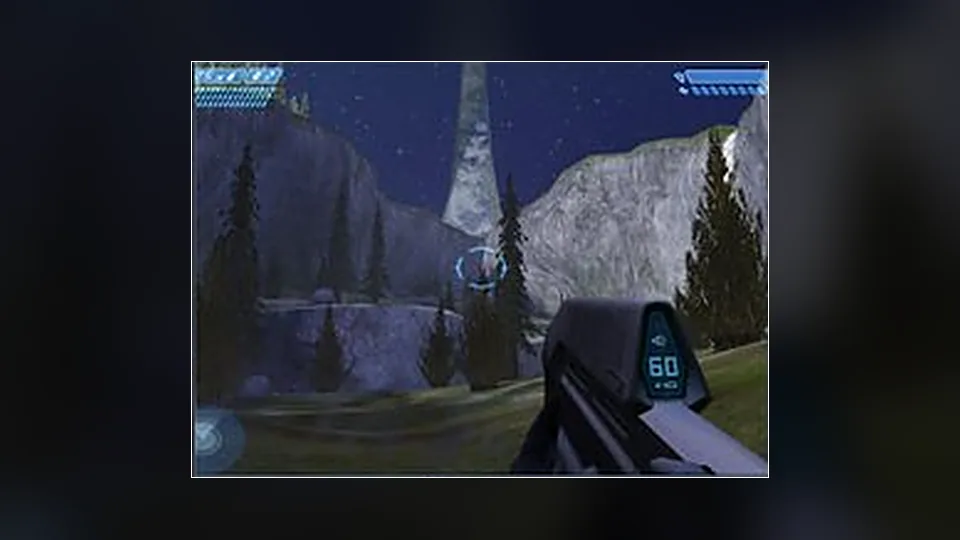
What is Halo: Combat Evolved (Web)?
The port compiles the game's engine for the browser and renders it with WebGL, which is how a 2001 title ends up running in a tab. It does not include the campaign data. Those assets are still owned by Microsoft and Bungie, so the project expects you to supply them from a copy you own, then loads them locally.
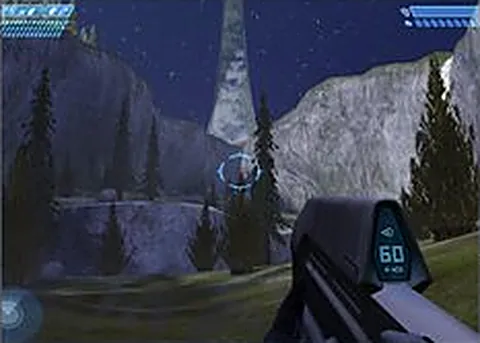
Once that is done, the campaign keeps its structure: the same missions, vehicles, weapons and the shield system that made Halo's combat feel different from its contemporaries. Mouse and keyboard input replaces the original gamepad layout, and for most players that is a clear upgrade for aiming at range, even if the original gamepad layout still has its defenders.
Setup is the main hurdle, and the project page is the place to read about it. Performance depends on your hardware, and a modest laptop will show it. The first load can take a while because the engine and assets are both being pulled in, so patience beats repeated refreshing.
Nothing is hosted by us. The port belongs to the developer who built it, and there is no connection between this site and Microsoft or Bungie, so support questions belong with the project. For an official route with proper support and updates, the Master Chief Collection is the version to buy instead of a community port.
How to play Halo: Combat Evolved (Web) in your browser
- Read the project page and confirm what files it expects
- Copy your own Halo data files into the location the port requests
- Load the page and let the WebAssembly engine initialize
- Click to lock the pointer, then dial in your mouse sensitivity
- Start the campaign and work through the opening mission
- Grab a vehicle when you find one and use it as mobile cover
Controls
| Input | Action |
|---|---|
| W A S D | Move |
| Mouse | Look |
| Left click | Fire |
| Right click | Zoom |
| R | Reload |
| Space | Jump |
| Shift | Sprint |
| G | Throw grenade |
| F | Melee |
| E | Interact or board a vehicle |
Controls can differ between builds. Most of these games let you rebind keys from their own settings menu, and you can press Esc to release the mouse pointer.
Tips for Halo: Combat Evolved (Web)
- Use the pistol on Grunts and the assault rifle on Elites, because the shield break matters more than raw damage
- Strafe around Elites instead of standing your ground, since their shields recharge and yours does too
- Save plasma grenades for Warthogs and Hunters, where a stick changes the fight immediately
- Board a vehicle when a level offers one, because the mounted gun clears areas you would otherwise crawl through
- Check the project's notes when a mission breaks, since ports like this get patched and old advice goes stale
Screenshots
Halo: Combat Evolved (Web) FAQ
Do I need my own Halo files for this browser version?
Yes. The port provides the engine and expects you to supply the campaign data from a copy you own. Without those files the page has nothing to render, so treat the project's setup instructions as required reading before your first attempt.
Is this the official Halo: Combat Evolved browser release?
No. It is an unofficial fan port, and we are not affiliated with Microsoft or Bungie. The supported modern versions are the Master Chief Collection and the original PC release, both sold through normal stores.
Is Halo: Combat Evolved in the browser free?
The port does not charge for access, and we do not sell anything here. You do need a legitimate copy of the game for its data files, so the honest answer is that the port is free but the game is not.
Why will Halo: Combat Evolved not load in my browser?
Wrong or incomplete game files are the most common reason, followed by a browser without proper WebGL support. Check that hardware acceleration is on, give the first load time on a slow connection, and follow the project's file layout exactly.
Can I play it on a phone?
This build targets desktop browsers and a keyboard and mouse. Even if the page opens on a phone, the file setup and the controls make it impractical. Use a laptop or desktop for the campaign, or look for a mobile specific Halo port instead.
Does the port include multiplayer?
The project is built around the single-player campaign, and online play would need services the port cannot reproduce by itself. If you want Halo multiplayer, the official collections are the realistic route rather than a browser build.
Is a controller supported?
Keyboard and mouse is the standard input for this port, and aiming is tuned around it. A gamepad may work in some browsers through the Gamepad API, but do not count on it. Check the project page before you plan around a controller.
Games like Halo: Combat Evolved (Web)
Same genre, same energy, also playable in a tab.