Play Minecraft 1.8.8 in Your Browser With Eaglercraft
A Minecraft client that lives in a browser tab rather than a launcher: Eaglercraft is unofficial, built around the 1.8.8 era of the game, and delivered as JavaScript and WebGL. This page links to a hosted copy of that client. It is not made by Mojang, and single player plus small servers are the normal use.
Advertisement
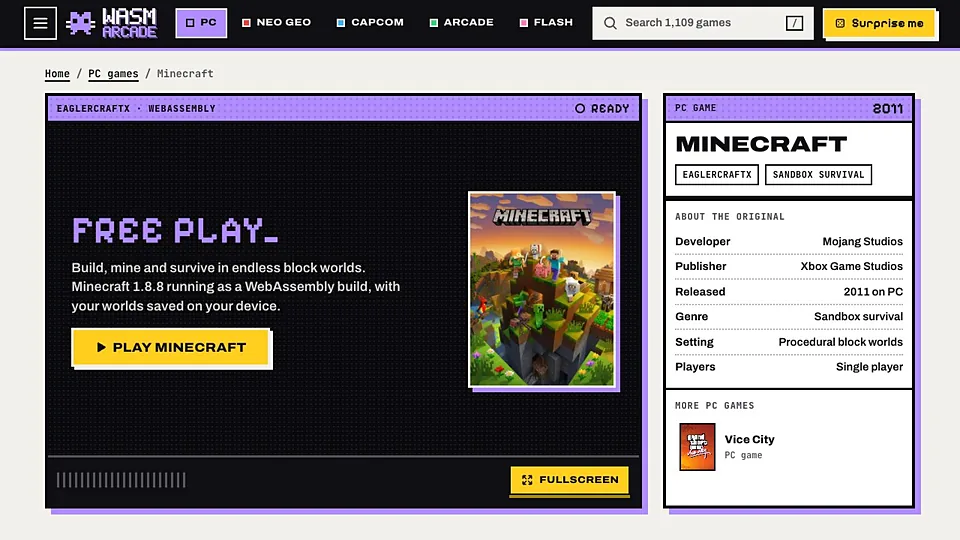
What is Minecraft 1.8.8 (Eaglercraft)?
Eaglercraft began as a project that translated Minecraft's Java code into something browsers can execute, which is why it can render blocks and run survival mechanics without a launcher. The build most people encounter targets version 1.8.8, the release that competitive players still treat as the reference point for combat and movement. It needs no install, no account and no Mojang launcher.
This is where precision matters. Minecraft Classic on this site is an official Mojang browser build, published by the company that owns the game. Eaglercraft is not: it is a community project that reimplements a client, and Mojang has no part in it. That distinction affects support, updates and legal footing, so treat Eaglercraft as a fan effort and expect it to behave like one.
The client loads quickly compared to WebAssembly ports of retail games, which is one of its strengths. World size is limited by browser memory, so very large or heavily modded worlds are not realistic. Multiplayer runs through community servers the client can connect to, and their availability changes without notice. Render distance is the main performance dial and lowering it helps more than anything else.
How to play Minecraft 1.8.8 (Eaglercraft) in your browser
- Open the Eaglercraft page in a desktop browser and let the client load.
- Pick a username, which is local to that client and needs no account.
- Choose single player and create a new world when prompted.
- Select a render distance your machine can hold without stuttering.
- Learn the crafting grid and build a shelter before the first night.
- Add a server address later if you want to join a community world.
Controls
| Input | Action |
|---|---|
| W A S D | Move |
| Mouse | Look around |
| Left click | Mine or attack |
| Right click | Place a block or use an item |
| Space | Jump |
| Shift | Sneak |
| E | Open the inventory |
| 1 to 9 | Select a hotbar slot |
| T | Open chat |
| Esc | Pause menu and settings |
Controls can differ between builds. Most of these games let you rebind keys from their own settings menu, and you can press Esc to release the mouse pointer.
Tips for Minecraft 1.8.8 (Eaglercraft)
- Lower render distance first when the frame rate drops, because it is the setting that matters most in a browser.
- Sneak while building at height, since the client punishes a mistimed step as hard as the original does.
- Expect no official support, because Eaglercraft is a fan project and Mojang does not maintain or endorse it.
- Check a server's status before you invest a session, as community hosts appear and vanish regularly.
- Keep worlds small and export anything precious, since browser storage is easy to clear by accident.
- Play with a mouse rather than a trackpad, as block placement is far more precise with one.
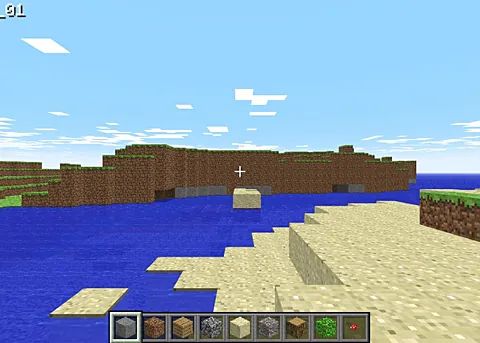
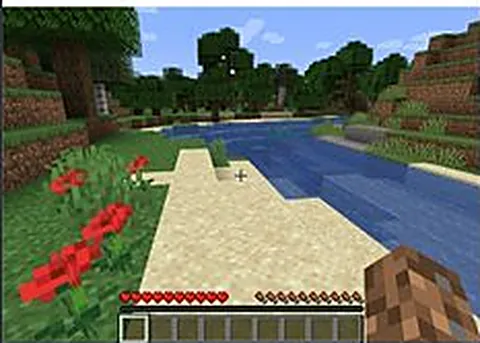
Screenshots
Minecraft 1.8.8 (Eaglercraft) FAQ
Is Eaglercraft the official Minecraft browser version?
No, and this is the most important thing to know. Eaglercraft is an unofficial community client that recreates a Minecraft experience in the browser. The official browser build is Minecraft Classic, which Mojang publishes itself. Eaglercraft has no affiliation with Mojang or Microsoft.
Is Eaglercraft free to play in a browser?
The client is free to open, and this site does not charge for the link. It is not a licensed product, so nobody is selling you a copy of Minecraft either. If you want the official game with support and updates, buy it from Mojang.
Can I play Minecraft 1.8.8 in a browser on a phone?
The client is aimed at desktop browsers with a keyboard and mouse, and inventory management is painful without them. Some mobile browsers can load a version of it, but performance and controls are poor. A laptop gives you a much better session.
Why is Eaglercraft not loading for me?
The common reasons are a browser that blocks the client's scripts, an outdated browser version, or a copy of the client that has been taken down. Try another mirror, allow scripts for the page, and use a mainstream desktop browser.
How do I save my Eaglercraft world?
Worlds are stored in your browser and tied to that address. Export the world from the client's menu if the option exists, because clearing site data or switching browsers will otherwise cost you the build. Backups matter more here than in the desktop game.
Can I play Eaglercraft multiplayer with other people?
Yes, the client can connect to community servers, and small survival or minigame worlds are the usual setup. Availability is not guaranteed, since volunteers run those servers. Get an address from the client's own server list rather than a random link.
Is Eaglercraft safe and legal to use?
It is a widely used community client, but it is not authorized by Mojang, so the legal footing differs from the official game. Stick to well known copies, avoid pages that ask for your Minecraft login, and never enter account details into an unofficial client.
Games like Minecraft 1.8.8 (Eaglercraft)
Same genre, same energy, also playable in a tab.