Play GTA: Vice City in Your Browser
Neon, palm trees and a 1984 Miami stand-in: GTA: Vice City is the 2002 open world game that most people name first, and this page links to a fan project that compiled the reVC source port to WebAssembly so it runs in a browser. It is unofficial, unaffiliated with Rockstar, and listed as needing a download step.
Advertisement
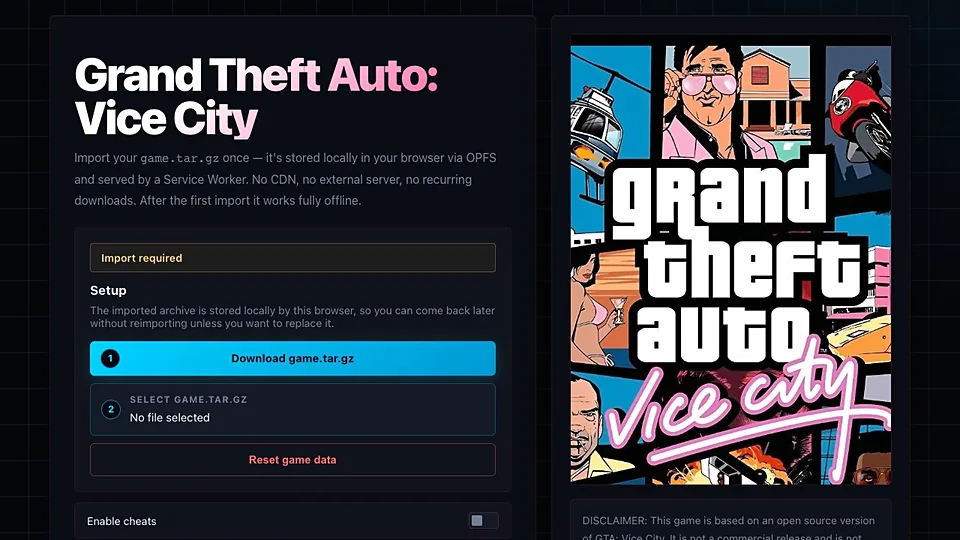
What is GTA: Vice City (WASM)?
Vice City took the GTA III framework to a fictional Florida in the mid eighties, added motorcycles, helicopters and a soundtrack worth the price on its own, and handed players Tommy Vercetti. The missions mix property buying with betrayal, and the radio stations do as much storytelling as the cutscenes do. It is the entry most people name when asked which GTA had the best atmosphere.
reVC is an open source reimplementation of Vice City's engine, and the project behind this link compiled it with Emscripten so it runs on WebAssembly in a canvas with no install. It is a fan effort with no affiliation to Rockstar, and it does not include the game's copyrighted assets. Whether the page asks you for files from a copy you own depends on how that build is packaged, so read what the project asks for before you start.
Plan for a heavy first load. WebAssembly builds of open world games pull a lot of data into memory, and the initial screen can sit on a progress bar while that happens. Once you are in, driving, radio and missions behave like the original, with frame rates that vary widely by machine. On integrated graphics or a low power laptop, lower the resolution early.
How to play GTA: Vice City (WASM) in your browser
- Open the Vice City WebAssembly page in a desktop browser.
- Read any prompt the project shows about supplying your own game data.
- Wait for the bundle to download and initialize before clicking anything.
- Click the canvas once so the page captures your keyboard.
- Start a new game and let the opening cutscene play through.
- Set resolution and draw distance before you drive far from the hotel.
Controls
| Input | Action |
|---|---|
| W A S D | Move on foot or drive |
| Mouse | Control the camera |
| Left click | Attack or shoot |
| Space | Jump or apply the handbrake |
| F | Enter or exit a vehicle |
| Shift | Sprint |
| Mouse wheel | Cycle weapons |
| Esc | Pause and open the menu |
Controls can differ between builds. Most of these games let you rebind keys from their own settings menu, and you can press Esc to release the mouse pointer.
Tips for GTA: Vice City (WASM)
- Expect fan project behavior, which means bugs, missing polish and no support when something breaks on your machine.
- Own Vice City if the build asks for its data, because the port supplies the engine and not the art or audio.
- Turn down draw distance first when the frame rate drops, since open world rendering scales badly on weak GPUs.
- Click inside the canvas if keys stop responding, because browser focus can drift to the page around it.
- Play with headphones, since the radio stations are half the reason this game still gets loaded.
- Keep the tab in the foreground, because background tabs get throttled and the game will stutter.
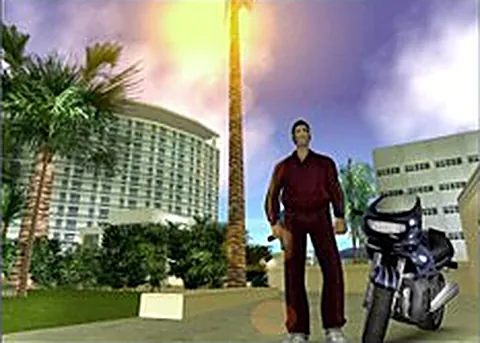
Screenshots
GTA: Vice City (WASM) FAQ
Is the GTA: Vice City browser version free?
The fan port is free to open, and nobody charges you for loading it. The underlying game is not free, so if the build expects Vice City data you need a copy you own. We do not host the game or its files.
Is this an official Rockstar browser port of GTA: Vice City?
No. Rockstar has never released Vice City for browsers, and this project has no affiliation with the company or its parent. It is a fan reimplementation built on an open source engine, shared on a public project page.
Do I need my own copy of GTA: Vice City to play this?
It depends on the build. Some packages run with partial or placeholder assets, and others expect data files from a copy you own. Check the project's own instructions, and if it asks for game files, use a legitimate copy.
Why is GTA: Vice City not loading in my browser?
Large WebAssembly bundles fail for boring reasons: not enough memory, an outdated browser, or a download that stopped halfway. Refresh the page, close other tabs, and try Chrome or Edge. If it still fails, the build may be down.
Does the browser version of GTA: Vice City work on a phone or Chromebook?
The project targets desktop, and the keyboard layout alone makes phones unrealistic. A Chromebook can occasionally run it if it has plenty of memory, but expect a rough experience. A desktop with a real GPU is the sensible choice.
Can I save my progress in GTA: Vice City in a browser?
Saving depends entirely on what the port implements. If in game saves work, they are likely stored in the browser for that site, which means clearing site data could erase them. Treat long playthroughs as fragile and keep sessions short.
Is playing Vice City in a browser legal?
Fan reimplementations of this kind sit in a gray area, and running one with assets from a game you own is the defensible position. Downloading Vice City from an unofficial source is not. If you want to be safe, own the game.
Games like GTA: Vice City (WASM)
Same genre, same energy, also playable in a tab.