Play Halo CE Mobile in Your Browser
Halo CE Mobile is a mobile-first web port of the 2001 campaign, built to run in a phone browser with touch controls. It is unofficial, it takes the same route as the desktop ports, and it needs your own copy of the game: you point it at an Xbox disc image and it copies the maps into private storage. Expect a large first import.
Advertisement
What is Halo CE Mobile?
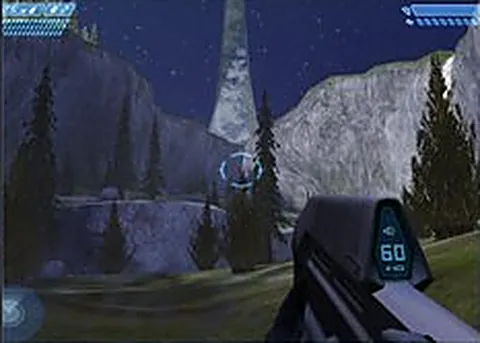
Running a full console campaign on a phone means compromises, and this project leans into them rather than hiding them. The interface becomes touch controls: a stick on one side, aiming on the other, buttons for firing and actions. The levels and weapons follow the original, and the scale is tuned so a small screen stays readable.
It is an unofficial port built for mobile browsers, so performance varies a lot by device. A recent phone with a healthy browser will cope, while an older handset will heat up and stutter. Keep the tab in the foreground, close other apps, and expect the first load to take longer than a native game would.
Touch aiming is the honest limitation here. Twin-stick shooters work well on glass, but Halo's combat expects precision at range, and landing shots with a thumb takes practice. Turning sensitivity down often helps more than turning it up, so start low and creep upward once the first mission feels comfortable.
The build is not ours. We link to the project page, nothing is hosted here, and there is no affiliation with Microsoft or Bungie. Because a community project like this has no official support behind it, it can stop working at any point, which is the risk you accept for a free phone port.
How to play Halo CE Mobile in your browser
- Open the project page in your phone browser and let it load
- Tap the start control and let the touch overlay appear
- Drag the left stick to move and the right side to aim
- Tap fire, then use the reload and action buttons nearby
- Lower the sensitivity setting if your aim swings too far
- Work through the opening mission before judging the controls
Controls
| Input | Action |
|---|---|
| Left stick (touch) | Move |
| Right side drag (touch) | Aim |
| Fire button | Shoot |
| Zoom button | Scope or zoom |
| Reload button | Reload |
| Jump button | Jump |
| Grenade button | Throw grenade |
| Melee button | Melee attack |
Controls can differ between builds. Most of these games let you rebind keys from their own settings menu, and you can press Esc to release the mouse pointer.
Tips for Halo CE Mobile
- Play in landscape and turn the brightness down, because the on-screen buttons eat a lot of a phone display
- Drop the aim sensitivity for your first mission, since overshooting with a thumb is the main reason shots miss
- Use the assault rifle at close range and the pistol when you have time to line up, matching the original's strengths
- Plug in headphones, because audio cues tell you where Grunts and Elites are before you see them
- Keep the tab in front and close other apps, since a phone browser throttles background work and the engine will stutter
Screenshots
Halo CE Mobile FAQ
Does Halo CE Mobile work on a phone browser?
That is what it is built for. It runs in a mobile browser with an on-screen control overlay rather than asking for a keyboard, and it can be installed to the home screen for full screen play. Results vary by device, and newer handsets cope best.
Do I need my own copy of Halo to play Halo CE Mobile?
Yes. The project ships no game content, so you pick your own Xbox disc image and it copies the maps into private storage on the device. That import can be up to about 1.8 GB, so start it on wifi.
Is Halo CE Mobile free?
Yes, the project does not charge for access and nothing on this site is sold. Unlike the desktop ports, there is no game file step for you to complete, so you can open the page and start playing without owning anything else.
Is this the official Halo mobile game?
No. It is an unofficial fan port of the 2001 campaign, and we are not affiliated with Microsoft or Bungie. Official Halo releases on phones are separate products with their own stores and requirements, so do not confuse the two.
Why is Halo CE Mobile lagging or refusing to load?
Phones throttle browsers aggressively, so close background apps and keep the tab in the foreground. If it still struggles, refresh, update your browser, and try a different device. Mobile ports of this size are the least forgiving option.
Can I use a Bluetooth controller instead of touch?
Some mobile browsers pass gamepad input through, but the overlay is the primary design here. If you have a controller, pair it and test in the first mission; if nothing responds, fall back to the touch controls.
Does it need a fast connection after the first load?
The heavy part is the initial load. Once the engine is running, gameplay itself is local, so a patchy connection mostly affects starting up. A slow connection can make that first load take a while, so start it before you need it.
Games like Halo CE Mobile
Same genre, same energy, also playable in a tab.