Play OpenTTD in Your Browser, No Install Needed
Rail, road, ships and planes, all managed from one browser tab: OpenTTD is the open source continuation of Transport Tycoon Deluxe, and this page links to an Emscripten build that runs the full management game rather than a demo. A mouse is more or less mandatory.
Advertisement
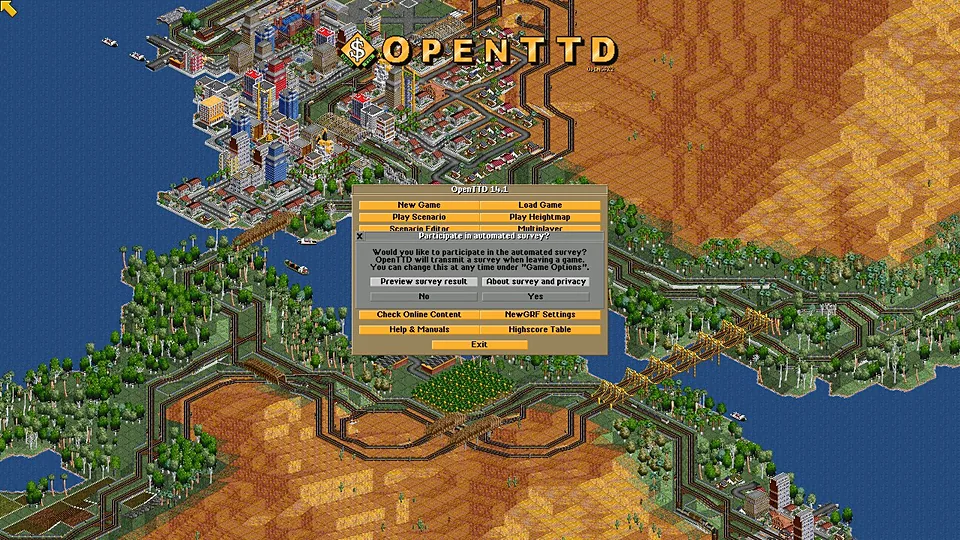
What is OpenTTD (Web)?
Transport Tycoon Deluxe arrived in 1994 and asked players to build a transport company from nothing: lay track, buy trains, connect industries and keep the money moving. OpenTTD took that design, opened the source, and spent two decades adding signals, timetables, mod support and multiplayer. It is a spreadsheet with a landscape attached, and that is meant as a compliment.
The build behind this link compiles OpenTTD with Emscripten, which turns C++ into WebAssembly the browser can run. OpenTTD ships with free, community made base graphics and sounds instead of the original retail assets, so a web build can boot without asking you for files from a 1994 box. We link to the project's page and host nothing ourselves.
The interface is dense: windows, lists and toolbars take up most of the screen, and a browser tab is a smaller canvas than a desktop window. It works, but give it a large monitor or reduce the interface scale. Saving and multiplayer depend on how that build is wired, so test them early rather than fifty in game years later.
How to play OpenTTD (Web) in your browser
- Open the OpenTTD web build in a desktop browser.
- Wait for the WebAssembly bundle and the graphics set to load.
- Start a new game and generate a map with the terrain you prefer.
- Build a depot and a station, then connect two towns by rail.
- Give the train orders so it carries cargo in a loop.
- Check the finances window before you expand too fast.
Controls
| Input | Action |
|---|---|
| Mouse | Drive the interface, place track and stations |
| Left click | Select a tool and build |
| Right click | Cancel the current tool or close a window |
| Ctrl + click | Remove track or an object with the active tool |
| Mouse wheel | Zoom the map in and out |
| Arrow keys | Scroll the viewport |
| Space | Pause and resume the simulation |
Controls can differ between builds. Most of these games let you rebind keys from their own settings menu, and you can press Esc to release the mouse pointer.
Tips for OpenTTD (Web)
- Start with a single coal line rather than a nationwide network, because cash flow teaches OpenTTD faster than any tutorial.
- Pause while you plan, since the simulation keeps running otherwise and your money follows it.
- Zoom out often, because track layouts that look fine up close are a mess at map scale.
- Read the tooltips on the signal tools before you place them, as signaling mistakes cause the worst jams in the game.
- Maximize the browser window or reduce the interface scale, since the game packs a lot of windows into a tab.
- Test saving and loading early, so you learn how this build handles persistence before you invest hours.
Screenshots
OpenTTD (Web) FAQ
Is OpenTTD in a browser free?
Yes. OpenTTD is open source and free to play, and the web build follows the same rules. There is no purchase, no account and no in game store. The free base graphics sets are what make a browser version possible at all.
Do I need to own Transport Tycoon to play OpenTTD in a browser?
No. OpenTTD ships with free replacement graphics, sounds and music, so the web build runs without files from the original 1994 game. If you own Transport Tycoon Deluxe you can use its assets locally, but nothing here requires them.
Does OpenTTD work on a phone or a Chromebook?
Chromebooks can run it, since the build only needs a browser and a pointer. Phones technically load it, but the interface is full of small windows and lists, and fingers are a poor substitute for a mouse. Use the biggest screen you have.
Why is the OpenTTD web build not loading?
It pulls a sizable WebAssembly bundle plus graphics, so a slow connection looks like a hang. Give it time, then check whether an extension is blocking the download. If the page has simply gone, the project's own site is the reliable fallback.
Can I save my OpenTTD game in the browser?
Only if the build implements saving, and browser storage is not a hard drive. Use the in game save option if it exists, export the file if you can, and do not assume a tab will remember a long running company after you clear site data.
Is OpenTTD the same game as Transport Tycoon Deluxe?
It is a reimplementation built from the original source with years of additions: better signals, larger maps, mods and multiplayer. The core loop is the same, and the interface will look familiar to anyone who played the 1994 release.
Is the OpenTTD browser version official?
The web build comes from the OpenTTD community rather than a publisher, and the project itself is developed in the open by volunteers. It is official in the sense that the code is the real OpenTTD, not a clone or a knock off.
Games like OpenTTD (Web)
Same genre, same energy, also playable in a tab.