Are Browser Game Sites Safe? What to Check Before You Click
The game engine is rarely the risk, but the download button beside it usually is.
Updated 2026-10-10 · 5 min read
The Honest Answer
Browser games are as safe as the page hosting them, and most of the risk sits around the game rather than inside it. The engines themselves run in a sandbox, which is genuinely restrictive. The danger is a download button that appears over the canvas, a redirect to a fake update page, or a fullscreen advert that refuses to close.
This site links to third party projects and hosts no game files at all. The game you play lives on someone else's domain, under their security posture and their ad choices, so the honest advice is to judge each one on its own rather than trusting a directory listing.
None of that makes browser gaming a bad idea. It means the habits you already use for unfamiliar websites apply here. Check the address, refuse downloads, keep your passwords out of it, and understand what a browser tab is genuinely capable of doing to your machine.
What a Browser Game Can and Cannot Do
A web page runs in a sandbox that the browser enforces. It cannot read files from your disk unless you pick them with a file dialog or drag them in, it cannot see data from other sites because of the same origin policy, and it cannot install a program or change system settings without you downloading and running something yourself.
What it can do is use resources. A tab can consume processor and graphics time, which is how in-browser mining works, store data locally, open popup windows, request fullscreen, and ask for permissions such as camera, microphone, notifications or clipboard access. You can deny each request, and denying costs you nothing in a game.
It can also lie to you. A page can display a fake system dialog, a fake virus warning or a fake download progress bar, all drawn in HTML. The browser interface around the page is the part that cannot be faked, so trust what the address bar says and treat every in-page warning as artwork.
- Can: use processor and graphics time, store local data, open popups, ask for permissions
- Cannot: read your files without your selection, see other sites' data, install software silently
- Can: display convincing fake system warnings and download prompts
- Cannot: bypass the browser's permission prompts or its download warnings
The Rule That Matters Most: No Launchers, No .exe
A browser game does not need a launcher. If a page tells you to download an installer, an .exe, a setup wizard or a browser extension before the game will start, that page is not offering a browser game. Close the tab and find the title somewhere else, even when the page looks like the official one.
Archived pages deserve a note. A Wayback Machine capture can preserve a project that no longer runs on its original domain, but it can also preserve a broken shell: we checked an archived GTA 5 browser build and the snapshot held the title art while the engine files were never crawled. Archive captures are read-only snapshots, and the links inside them can still lead anywhere, so the same rules apply.
- Never download an installer, launcher or .exe from a browser game page
- Ignore update prompts that appear inside the game area
- Refuse desktop notification requests from game sites
- Close the tab if the game will not start without a download
- Find the same title through a directory or the project's own repository
Passwords, Accounts and Your Main Email
Most browser games need no account, so treat a sign-up form as a decision rather than a formality. Never enter the password you use for email, banking or your main accounts. Use a password manager, which will refuse to autofill on an unfamiliar domain, and that refusal is useful information in itself.
If a game genuinely requires an account, use a throwaway address and a unique password. Watch for forms that ask for more than a username and a password: a game has no reason to want your phone number, your date of birth or payment details before you have played a single round. Offers of free currency in exchange for a login are a classic phishing pattern.
Check the URL, Then Check the Frame
Read the address bar before you read the page. Look for the exact domain you intended to visit, a padlock, and no extra subdomains or misspellings. Typosquatted domains are the standard delivery method for fake game portals, and a game that opens inside an embedded frame is usually served by a domain you have not checked at all.
Archived pages deserve a note. GTA 5 (Archived Browser Page) is kept as a Wayback Machine capture, which preserves a project that no longer runs on its original domain. Archive captures are read-only snapshots, but the links inside them can still lead anywhere, so the same rules apply.
When you are unsure who is behind a project, look for a repository, a named author or a public changelog. Projects like WASM Arcade (more GTA and Minecraft) or the open source engines behind Half-Life (Web) leave a visible trail. A page with no author, no contact details and no history is a page to leave.
Ad Blockers, Scripts and Tab Hygiene
An ad blocker is reasonable protection on unfamiliar game sites. Bad actors buy ad space on legitimate portals, and a blocked malicious creative cannot redirect you. If a site refuses to load with a blocker on, that is a business decision on their part, and you are free to go elsewhere.
Keep the tab count low while you play, and close game tabs when you are finished rather than leaving a dozen running in the background. A tab using your graphics card in the background is a tab draining battery and, in the worst case, mining on your hardware. If your fans spin up on an idle game page, close it.
Keep your browser updated as well. Sandbox escapes and graphics driver bugs get patched in browser releases, and an out-of-date browser is the easiest thing for an attacker to exploit. That is true for everything you do online, and game pages are simply where a lot of people notice it first.
Why Some Ports Ask for Your Own Game Files
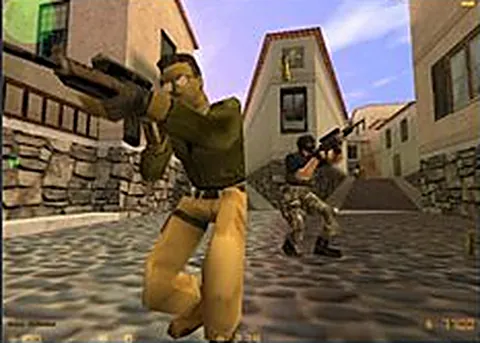
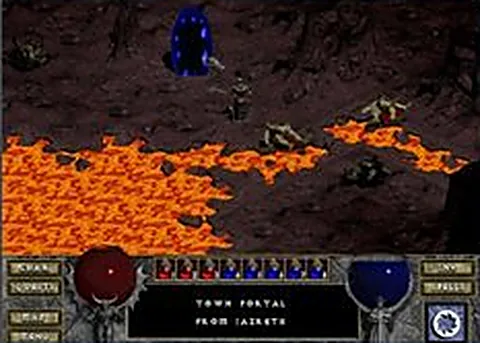
When a port asks for game data, that is usually a good sign rather than a bad one. Half-Life (Web), Half-Life / Counter-Strike 1.6 (webXash) and Diablo (Web) all run on files from a copy you own, opened locally by the page. Nothing is uploaded and no installer is involved.
The distinction to hold onto is between supplying data and running a program. Selecting a folder is a permission you grant through a browser dialog. Downloading a file and double-clicking it is a decision to execute code on your machine, and no browser game should ever ask you to make it. Our game pages link out; the files stay with you.
Are Browser Game Sites Safe? What to Check Before You Click: questions
Are browser game sites safe to use?
Most are, because browser sandboxing limits what any page can do. The real risks are the ads and redirects around the game rather than the engine itself. Check the domain, refuse downloads and never enter your main password on a game site.
Can a browser game give my computer a virus?
A game page cannot install anything by itself. Infection requires you to download and run a file, which is why fake launcher and update prompts are the main threat. If you never download or run anything, the realistic worst case is browser annoyance.
Why do some game pages ask me to disable my ad blocker?
Usually because ads are the site's revenue, occasionally because a blocker interferes with the game script. That request is your call, but a legitimate page will usually still load, and many blockers let you allow a single site without allowing every ad network.
Is it safe to enter my email on a browser game site?
Use a throwaway address if an account is genuinely required, and always a unique password. A game has no reason to need your phone number or payment details. Password managers flag unfamiliar domains, and that warning is worth heeding.
What should I do if a game page redirects me?
Close the tab rather than clicking through the page. If you arrived from a directory, note the domain so it can be reviewed later. Redirect chains are the main way browser game pages turn into fake support and update scams.
Games mentioned in this guide
More guides
The Best Browser Games You Can Play Right Now
Here is what each kind of browser game asks of your machine, and which tabs are worth opening first.
5 min readHow to Play Classic PC Games in Your Browser
There are three routes from a PC game to a browser tab, and each one fails in its own way.
5 min readBlack Ops Zombies in the Browser: Every Map That Works
The round-based mode survives the trip to a browser tab, and the maps in the fan port are the ones that matter most.
5 min read